Trust

Trainloom trust centre.

We use this page to explain our product stage, data boundaries, backup behaviour, deletion flow, and security posture in plain language.

At a glance

What we can show you today.

Product stage

We are still early.

We are planning our first public iPhone release for May 2026. Android support comes later, so please treat us as a pre-release product rather than a mature live app.

Support route

You can reach us directly.

Use privacy@trainloom.app for privacy, deletion, export, backup, or trust questions while we are still early.

Privacy stance

We keep a few boundaries simple.

We do not sell your personal data. We do not use third-party advertising SDKs in the app. We do not load third-party analytics scripts, advertising pixels, or external font services on this website.

Plain-language boundary

We spell out the backup boundary.

We sync supported structured data through the cloud. Progress photos stay local-only unless you explicitly export a local ZIP bundle from the device that holds them.

Data boundaries

What syncs, what stays local, and how backups work.

Cloud sync

Supported structured data is backed up through the cloud.

Included today Profile and reminder settings, workouts, exercise logs, check-ins, measurements, PRs, meals, achievements, goals, plan data, and nutrition adjustments.
Not included today Progress photos and their local photo entries.
How it behaves Supported rows merge across devices using stable sync ids and timestamps. Cloud sync is a backup path for supported structured data, not a perfect mirror of every local asset.
Backups

Local exports are the safer route for leaving with your data.

JSON export The restore-grade structured-data backup that we can import on-device today.
ZIP export bundle Includes the JSON backup, clean CSV exports, the schedule export, and readable local progress photo files from the device that created the export.
Important reminder If progress photos matter to you, keep your own ZIP backups. They are not part of our cloud sync today.
In the app

What these controls look like in Trainloom.

These are real screens from the current app covering exports, sync boundaries, deletion controls, and weekly review.
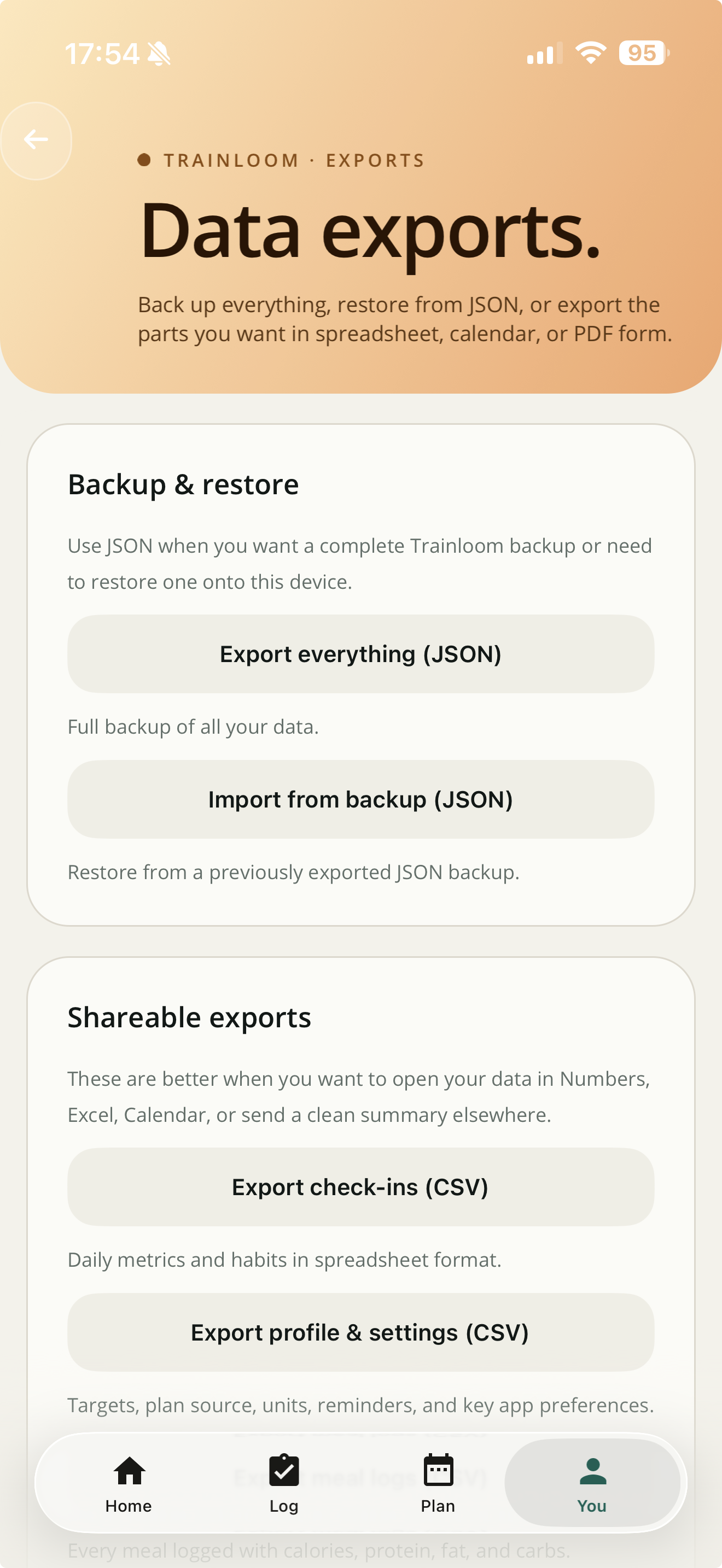
Trainloom exports screen showing JSON export and JSON import options on the backup and restore card.
Exports

JSON backup and restore are visible in the app.

The app shows a dedicated backup and restore area instead of hiding export behind a vague settings link.
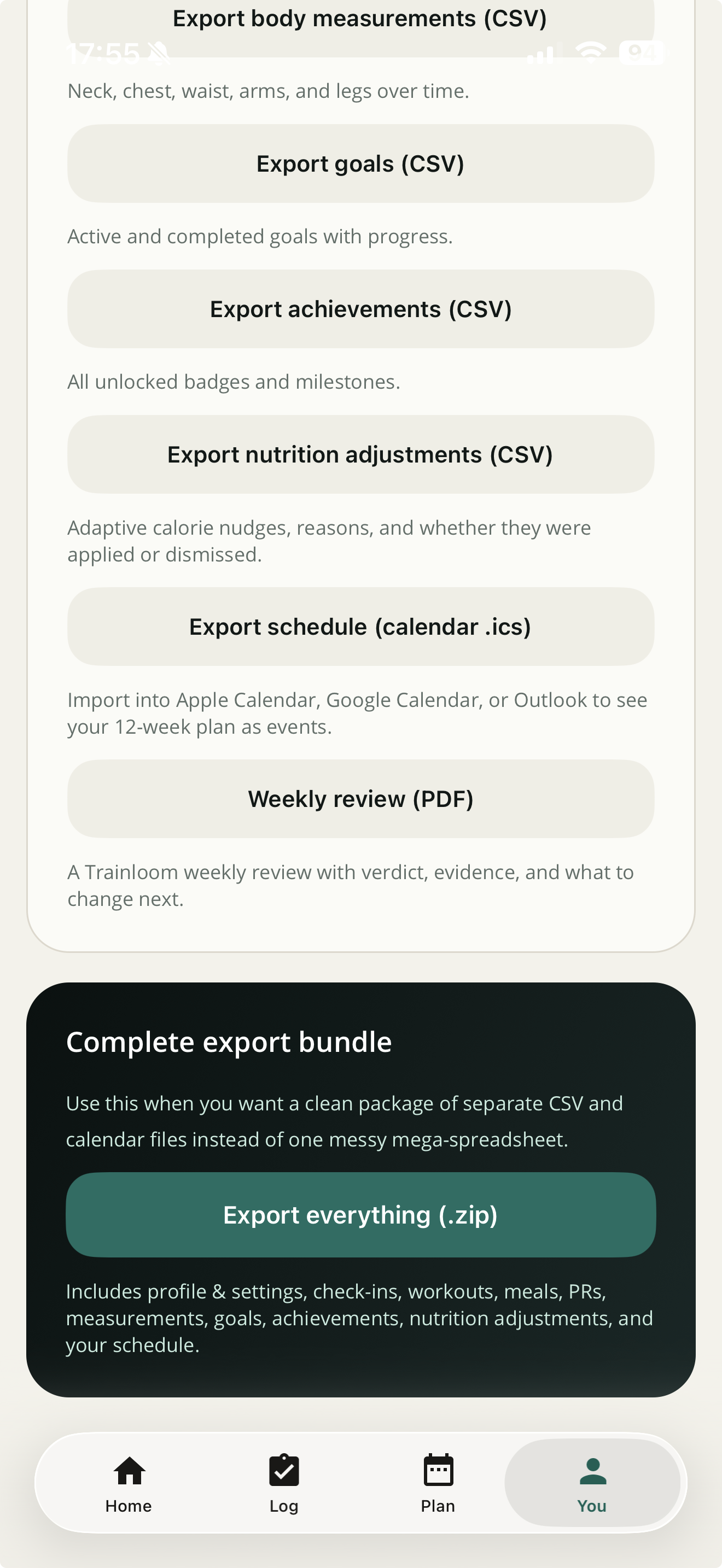
Trainloom exports screen showing CSV exports, weekly review PDF, and a complete ZIP export bundle.
Bundle export

ZIP bundle export is a separate path.

The app distinguishes shareable exports from the complete ZIP bundle so the backup options are easier to understand.
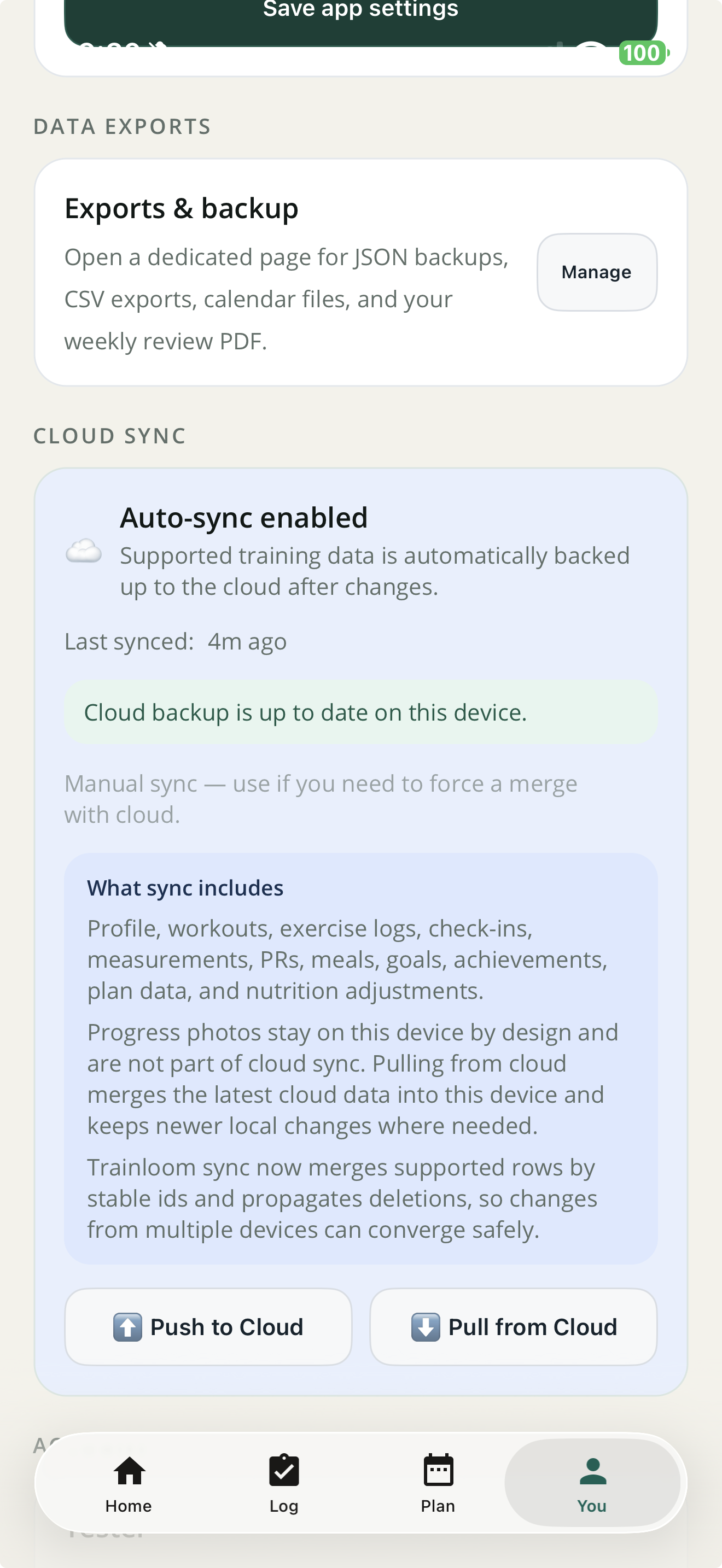
Trainloom settings screen showing cloud sync status, what sync includes, and a note that progress photos stay on this device.
Cloud sync

Sync boundaries are spelled out in settings.

The cloud sync card says what is included and explicitly says that progress photos stay on this device.
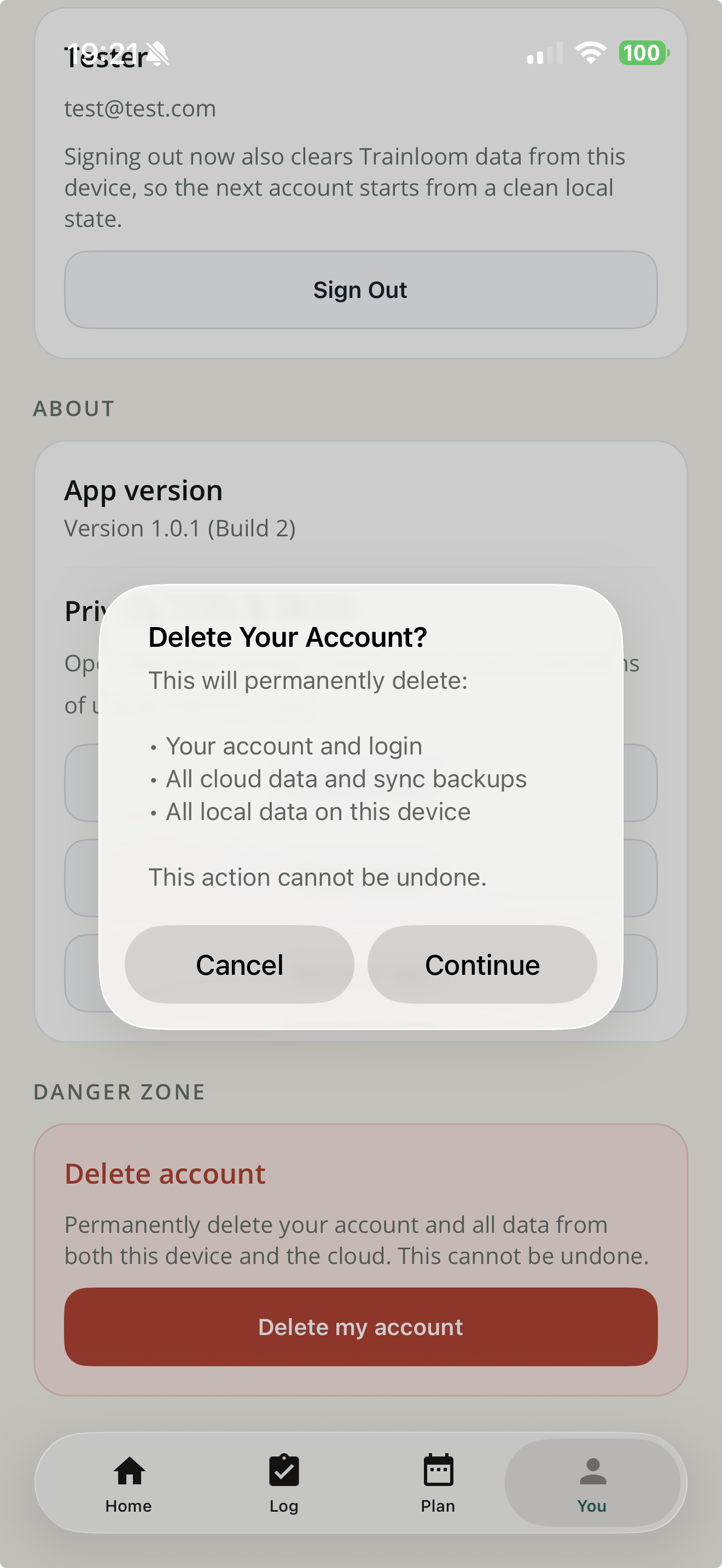
Trainloom delete account confirmation listing the account, cloud data, sync backups, and local data that will be deleted.
Delete account

Deletion scope is shown before you continue.

The first confirmation says what will be deleted across the account, cloud backup, and local device.
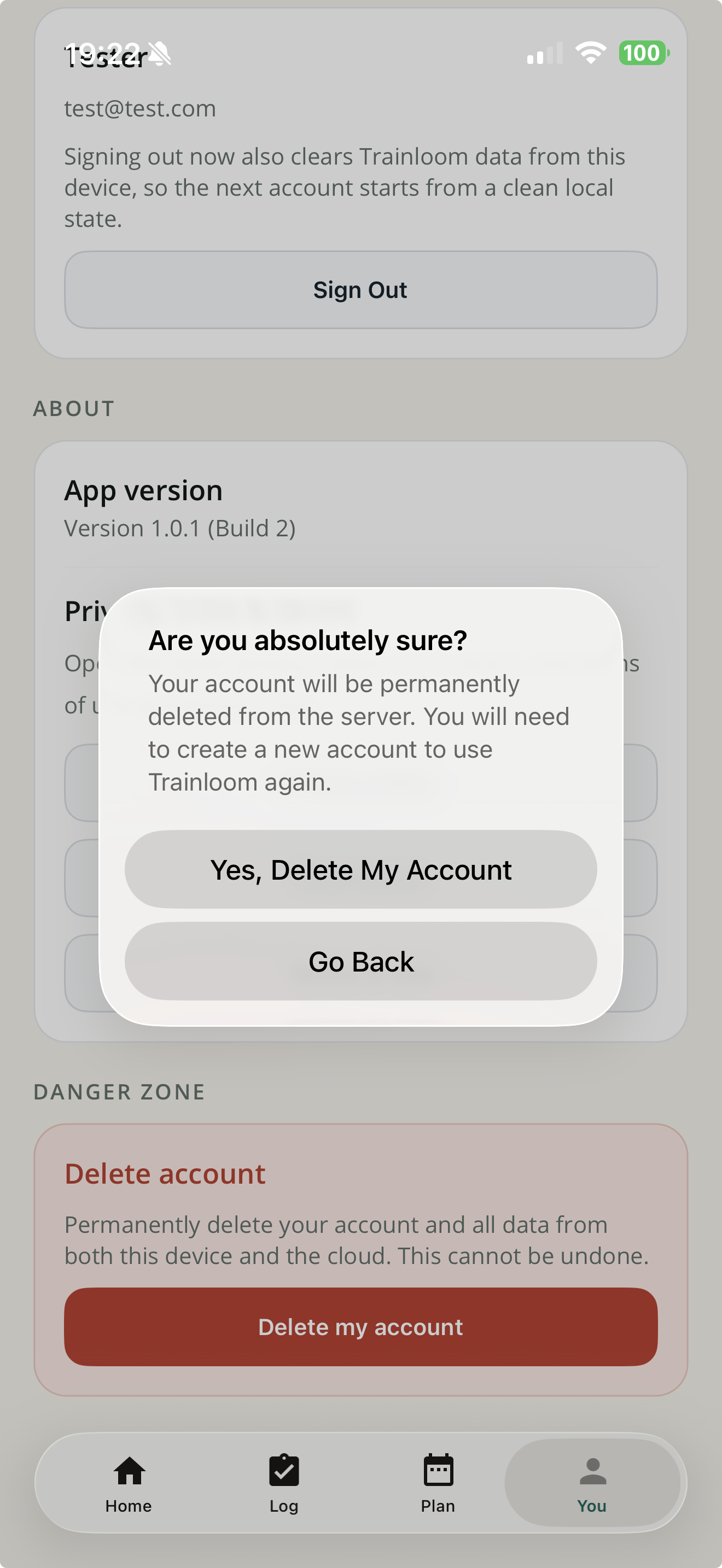
Trainloom second delete account confirmation requiring the user to confirm permanent deletion.
Confirmation

There is a second confirmation step.

The flow does not jump straight from a button tap to account removal. There is a final stop before deletion.
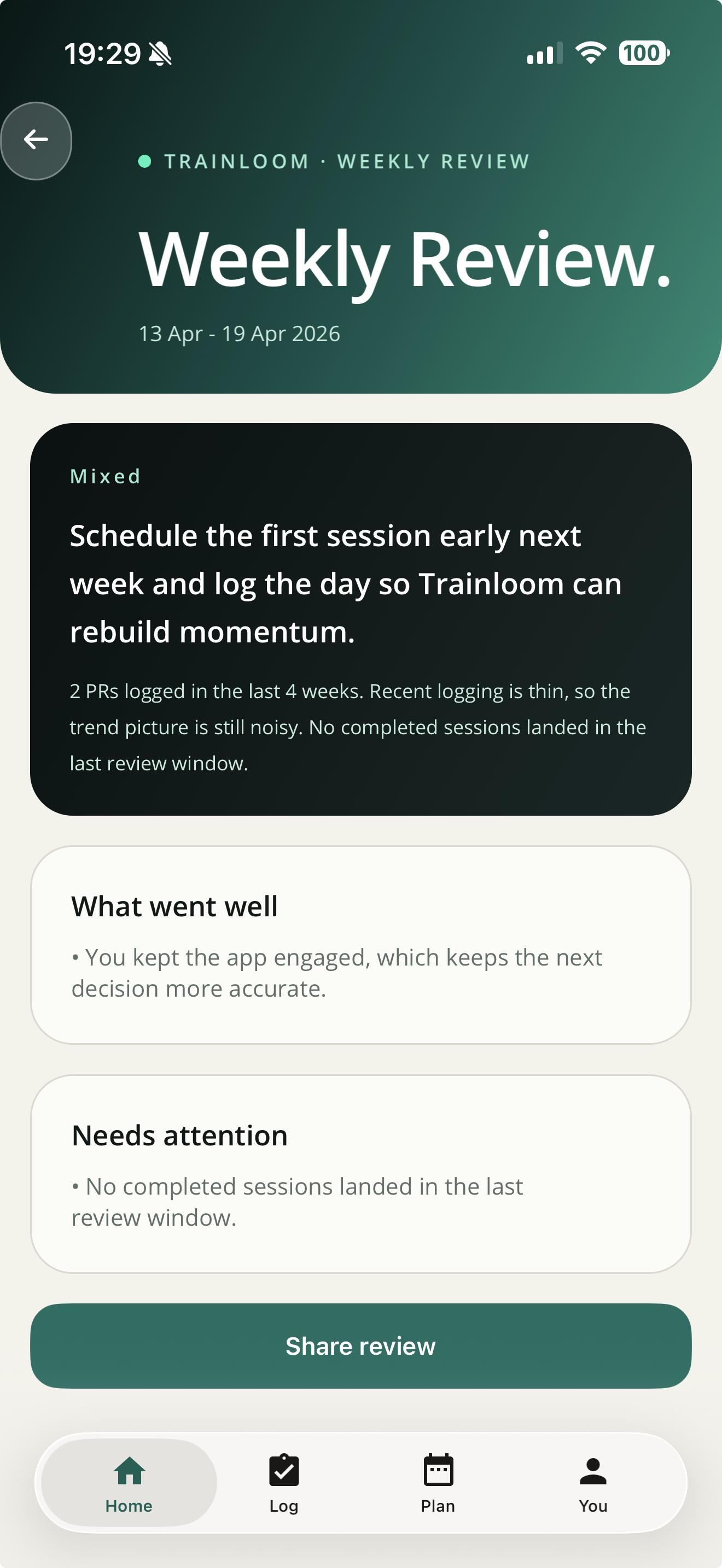
Trainloom weekly review screen showing a verdict, what went well, and what needs attention.
Review

Weekly review is already shipping in the app.

This is not just policy copy. The app is already producing review output from logged data.

Security

How we protect data today.

App and cloud path

Our current controls are visible in the codebase.

On-device first Your device remains the source of truth. Our cloud is a backup and sync layer, not the primary datastore.
Secrets handling We store session tokens and similar secrets in secure storage where the device platform supports it.
Supabase hardening We use client-facing RPCs in an exposed api schema, keep snapshot data in a non-exposed private schema, revoke direct table access for client-facing roles, and force row-level security on the snapshot table.
What this is not We are not claiming a formal audit, certification, or bug bounty programme here. We are describing the controls that are currently implemented in the codebase.
Website practices

The public site is kept intentionally simple.

No ad-tech We do not load third-party advertising pixels or ad SDKs on this website.
No analytics scripts We do not include third-party analytics scripts on this website.
No external font calls We use local font stacks instead of calling third-party font services.
Public documents We publish our privacy notice, terms, and this trust page on the public site.
Leaving well

How to leave with your data if you stop using Trainloom.

Practical checklist

Do these in this order.

Export first Use Settings → Exports in the app. JSON is the structured-data restore file, and the ZIP bundle is the safer choice when you also want local progress photo files from the current device.
Delete account We provide an in-app account deletion flow with two confirmation steps. It is designed to delete your cloud account and cloud backup, then clear local data on that device.
Change device carefully Because progress photos are local-only, a reinstall or device change should be treated as a moment to verify your own local backups instead of assuming cloud sync covers everything.